


Document signing
Create a proposal from the deal, collect signatures and keep the document connected to the customer.

Connect your call centre, appointments, sales and installation in one CRM. Desktop and mobile, with control over what each role can see and do.
Follow the work from the first conversation to completion. Every handoff keeps the next person informed.
Guide the call with configurable qualification scripts. Capture the answers, review the outcome and book the next step without losing the context.
Keep the work connected without giving everyone the same access. Set role permissions and record visibility to suit how your organisation operates.
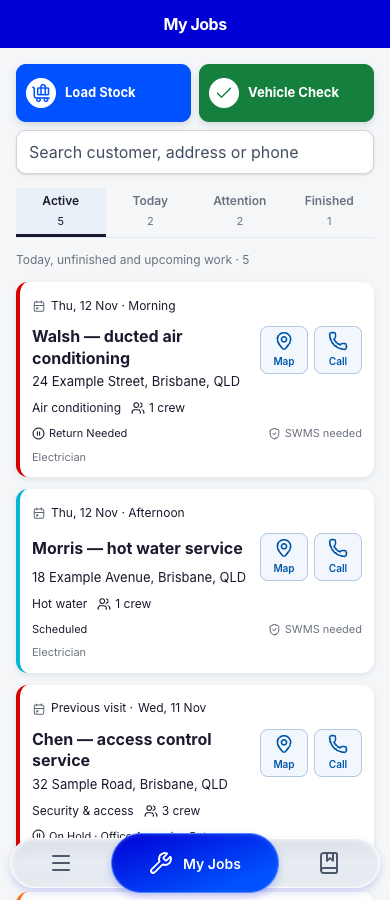
Plan and manage work on desktop. Give sales reps their appointments and installers their jobs on mobile, with access shaped by their role.
Sign the agreement. Share the progress. Keep the follow-up moving.
Create a proposal from the deal, collect signatures and keep the document connected to the customer.
Give customers a place to see progress, find documents and complete feedback after the work.
Build workflows around customer events, with email follow-ups, tasks and a record of each run.
Installation and service businesses, from air conditioning and electrical to security and maintenance. Configure your pipelines, forms and permissions around the way you work.
Yes. Manage the job, schedule staff and keep track of return visits without losing the history of the work.
From the first enquiry to the work on site, keep the next step in view.

